
Mouse Switcher
Mouse Switcher is a simple and efficient utility for Windows that allows you to switch between open applications using just the scroll wheel. By combining this feature with Windows Aero Peek, it offers a seamless and unobtrusive way to enhance productivity without the need to reach for the keyboard.
To switch windows using the mouse wheel, move your pointer over the Windows Taskbar and start scrolling. The Alt+Tab application switcher will appear, allowing you to continue scrolling to select the desired application. Move your mouse pointer out of the taskbar area to switch to the selected application, or click on the taskbar or press escape to cancel the switch.
Scroll-Based Application Switching
Switch between open applications by scrolling over the Windows taskbar.
Keyboard-Free Navigation
Avoid using the keyboard to switch applications, enhancing efficiency.
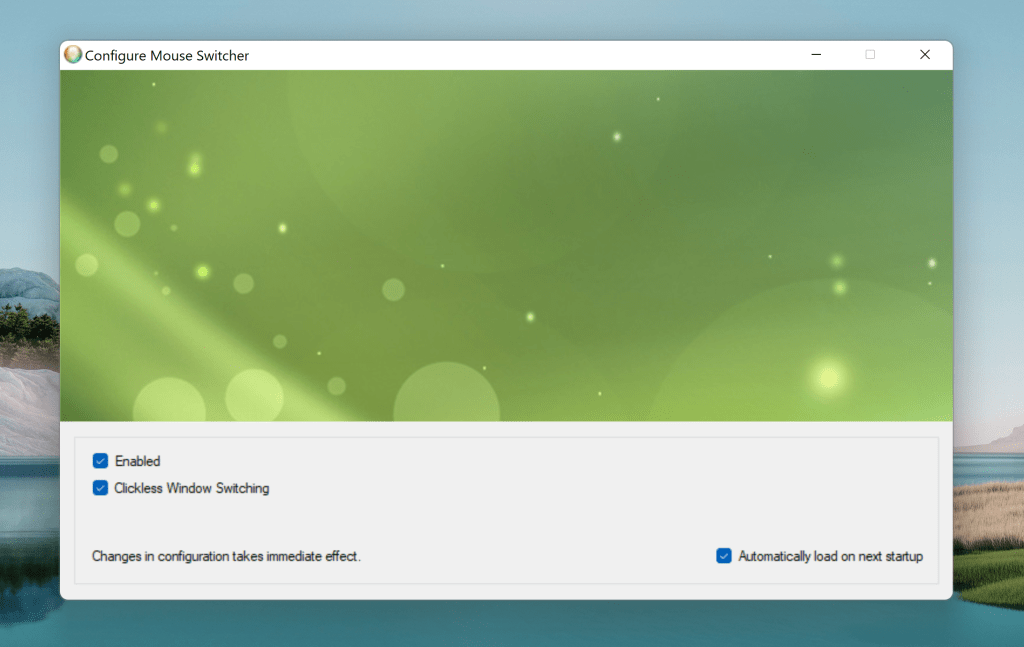
Seamless Integration: Integrates smoothly with the operating system with no intrusive dialogs or icons. Extremely low memory and CPU usage, even while active. No additional bloat, with a single Start Menu entry to manage the application.
Frequently Asked Questions
How do I disable Mouse Switcher?
To disable, open Task Manager and end the “MouseSwitcher.exe” process. To permanently disable it, uncheck the startup entry in msconfig (Start → Run → msconfig.exe → OK → Startup Tab).
How do I uninstall Mouse Switcher?
Simply delete the application folder. If installed in the default location, delete the folder: \Program Files\Twentyone Innovations\MouseSwitcher. Also, remove the “MouseSwitcher” Start-Menu entry from the “Startup” folder.
Why do I need .NET Framework?
If the installer requires runtime files, download and install Microsoft Visual Basic Runtime Components.
Troubleshooting
- Some issues may arise on laptops using a touchpad to scroll.
- Post installation, in some installations, you may need to open Mouse Switcher configuration window once or reboot the system in order to activate mouse switching for the first time.
- If encountering double shifting of applications, kill the extra “MouseSwitcher.exe” process using Task Manager.
- Works on Windows 7 and above
12 responses to “Mouse Switcher”
-
how to use it as Win+Tab????
LikeLike
-
The current version (1.0.0) does not have win+tab implemented. There are plans to include this feature down the line along with the ability to auto-start the service upon first install.
LikeLike
-
love yr program & waiting 4 next major release 🙂
LikeLike
-
Hi,
Use the following link to download version 1.1.0-beta with ability to use Windows Shuffle Mode (win+tab). this is not enabled by default. Use the configuration manager to enable shuffle mode. Your feedback is welcome.http://www.4shared.com/zip/_EI-TAFx/setup-mouse-switcher-110-beta.html
LikeLike
-
-
n dude, plz notify me, when u release
next major releaseLikeLike
-
Things are looking positive. Once I wrap up the Windows 8 installer glitches, will update this page and also send notification.
LikeLike
-

[…] forget to download Microsoft Device Center to easily configure mouse and keyboard settings. Download Mouse Switcher Tags: Freeware for Windows Advertisements Post a CommentYour email is never published nor […]
LikeLike
[…] im Blog, welches eine altbekannte Tastenkombination ablösen könnte. Mit dem Tool "Mouse Switcher" ist es möglich per Scrollen mit dem Mausrad innerhalb der Taskleiste, zwischen […]
LikeLike

It’s not working for me.
System: Dell laptop with win 7 sp1 64 bit
Mouse: Dell
Disabled the trackpad and rebooted but still dosn’t work.Pls help.
LikeLike

Im trying to install it on Windows 8 RTM… when I open the installer it tells me I need the NET framework, however I already have that installed.
LikeLike
[…] Switching auch abstellen.Mouse Switcher ist Freeware und unterstützt offiziell nur Windows 7.Mouse Switcher Download var addthis_config = { ui_use_css: true, ui_click:true }; Schlagwörter zu diesem Artikel: […]
LikeLike


Leave a comment