
Batch Image Processor
Batch Image Processor is a simple and efficient application designed to resize and compress multiple images at once. It requires minimal user input and automatically processes the images with ease. The user-friendly interface ensures ease of use, making it perfect for preparing images for bulk sharing or for uploading to photo-sharing sites like Flickr, Unsplash, Imgur, etc.
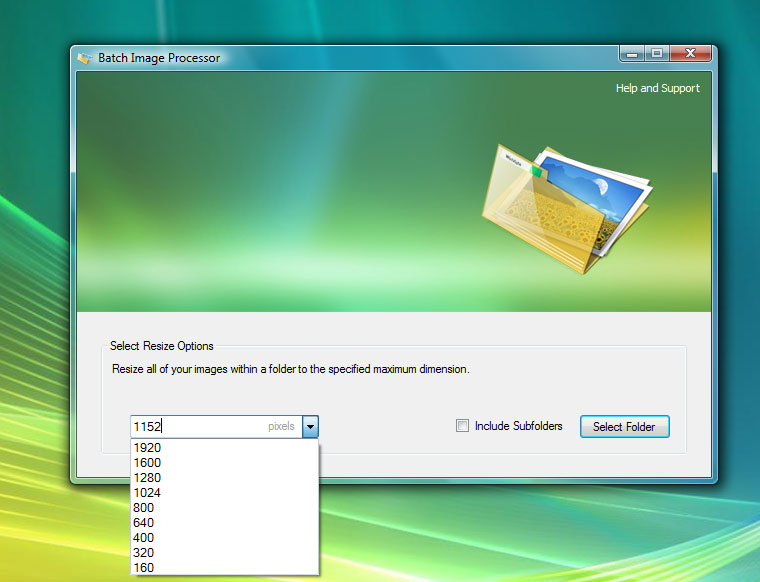
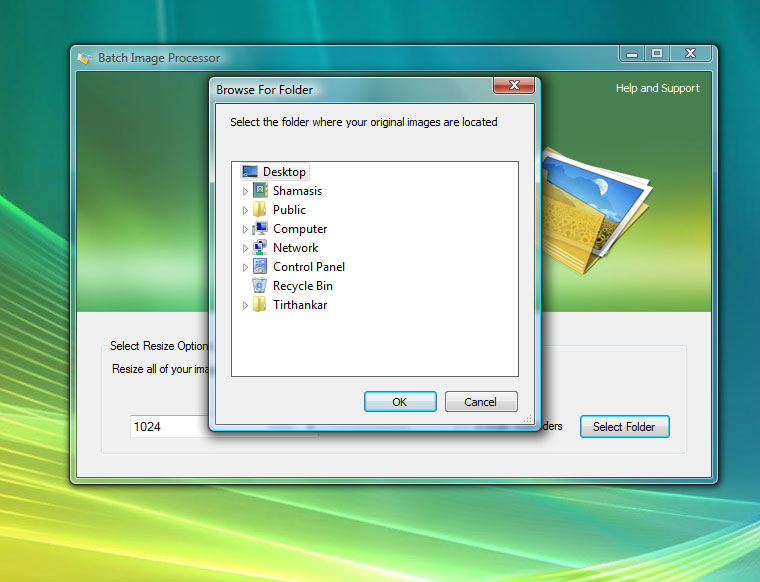
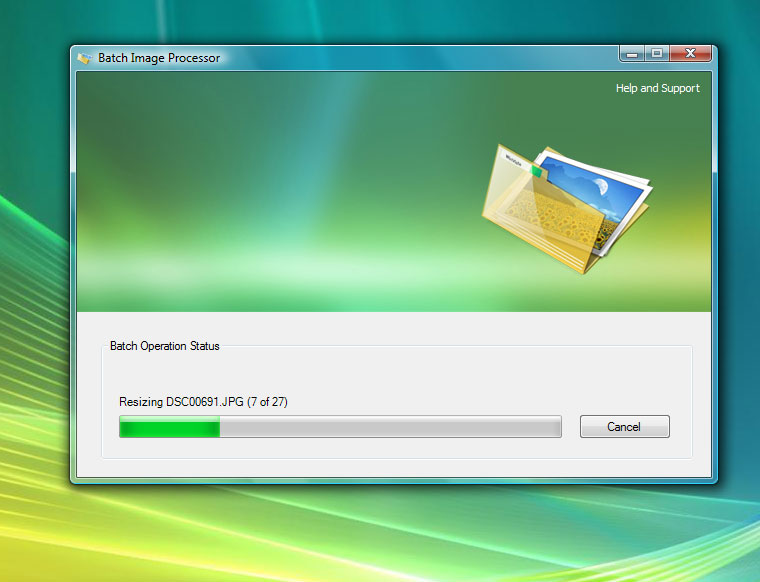
To use the Batch Image Processor, place all the images you want to resize in one folder, run the software and select the desired dimensions. Choose the folder containing your images, and the software will automatically resize and save them in a “Processed Images” folder within the selected directory. This process is efficient, preserving the original aspect ratios and ensuring minimal resource usage, allowing you to continue working without interruption.
User-friendly
Features a simple and intuitive interface that requires no complex configurations, making it easy to have lightning fast workflow for everyone.
Wide compatibility
Works on any version of Windows and supports a variety of image formats including JPEG, GIF, PNG, BMP, and TIFF. Portable executable, no installation needed; carry it around in your external drive.
Designed for batch processing
Utilises advanced algorithms and multi-threading to deliver fast processing speeds while using minimal system resources, ensuring smooth performance.


Technical Highlights
Advanced resizing algorithm: Utilises separate algorithms for shrinking and enlarging images, ensuring sharp and crisp results. Automatically optimises image quality to reduce file size while maintaining almost-original quality.
Dynamic multi-threaded application: Employs multi-threading to utilise processing power efficiently without overloading the system, allowing users to work uninterrupted.
Staggered IO management: Implements staggered IO between memory read and disk write, reducing overall processing time and unnecessary memory usage.
Stable and Process Isolated UI: Provides full control over processing threads, enabling easy cancellation to ensure stable performance and prevent lockups.
Application Crash Safe: Opens original image files in read-only mode to prevent damage, even if the system locks up. (Though it does not have the ability to resume from crash-point, yet.)
Frequently asked Questions
How do I install Batch Image Processor?
Batch Image Processor is a portable application. It does not require and installation. You can keep the .exe file anywhere that is easy to reach. Simply launch the downloaded .exe file to use the software.
Why do I need .NET Framework?
If the installer complains about missing runtime files, download and install Microsoft Visual Basic Runtime Components.
6 responses to “Batch Image Processor”
-
Hi
Great small application and one I have been looking for, for a while, just needed a good small portable image re-sizing app and this works great, cheers.
David
PS: Need to change the title above the download link from Download Notepad Mobile
LikeLike
-
Thanks David. I am glad to be of your help.
And thanks for correcting the error on the page. I think, I will be soon get into the Guinness Book of errors!
LikeLike
-
-
Good day, Shamasis Bhattacharya!
Surprisingly good program: I am happy that I found it. Recommend it to my daughter that she is not tormented by displaying their photos on the Internet.
I tried to increase the size of photos: the file size even slightly decreased! So in fact it should be: You are optimizing images!
The main thing do not install and work with the program is very easy and simple.
Bad that only 195 downloads: You must be more to advertise your program. And there will be more happy people!
Thank you very much. Have not tried yet your text editor, but I think he is too good.
Sorry for the bad english (translate from Russian by translate.google.com)
Good luck in your projects!LikeLike
-
I am glad that I could help you and your dear ones. 🙂 Now that you have motivated me. I will create an easy installer and submit the freeware to software directories.
All the best wishes for you.
LikeLike
-
-
Ggood one bro!
Indeed very helpful.LikeLike
-
Thanks. 🙂 Happy to be of help. 😛
LikeLike
-


 Shamasis Bhattacharya
Leave a comment